Online editor

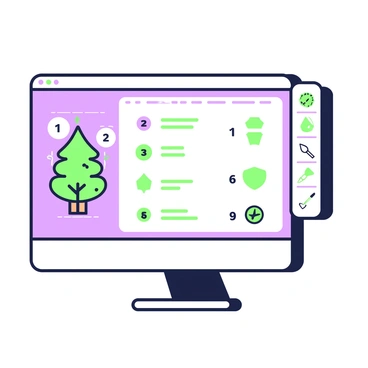
A computer screen is set against a simple backdrop, prominently displaying a step-by-step tutorial for creating vector art. The tutorial consists of several numbered steps laid out in a clear format, featuring illustrated icons next to each step. On the left side of the screen, there is a vector graphic of a stylized tree, with detailed outlines showing the layers and components. To the right, there is a tool panel displaying various vector editing tools, such as a pen tool and a shape tool, with green and purple accents. The entire layout has a clean and organized appearance, making the information easy to follow.A virtual workshop session on vector illustration featuring multiple participants engaged online. Each participant is visible on their own video screen, displaying diverse expressions of concentration and enthusiasm. The primary focus is a central screen showcasing a colorful vector illustration in progress. Various drawing tools and software interfaces are visible around the main screen. A few participants are using graphic tablets, while others have sketchbooks beside them. There are speech bubbles indicating discussion points, and some participants are sharing their screens to demonstrate techniques. The setting is vibrant and modern, emphasizing a collaborative atmosphere.A digital workspace is displayed, featuring an online illustration editor on the main screen. The interface is filled with various design tools, including a color palette with vibrant hues, a brush tool displaying a soft gradient, and layers panel showing multiple layers for editing. There are icons for shapes and text tools positioned along the side, with a large canvas in the center where an unfinished illustration is visible. On the desk, a sleek laptop is placed, surrounded by stylus pens of different colors and a notebook with sketched ideas. The overall atmosphere is that of a creative hub, ready for artistic exploration.A digital cityscape is being constructed in an online vector editor. The scene shows a large computer screen displaying the progress of the city, filled with various buildings in different shapes and sizes. A set of tools is visible along the edges of the screen, including a pen tool and shape tools. In the foreground, a person with short hair is seated at a desk, focused on the screen. They are wearing a casual t-shirt and have a stylus in their hand, ready to add more elements. Light from the screen reflects on their face, illuminating their expression of concentration. On the desk, there are sketches and notes scattered around, hinting at the design process involved in creating the cityscape.A user is sitting at a desk, focused on customizing the interface of their online illustration editor. The user has medium-length hair and is wearing a comfortable hoodie. In front of them, a laptop displays a colorful workspace with various tool icons and a canvas area. The user is adjusting settings with their left hand while dragging a tool from a sidebar with their right hand. A cup of green coffee sits on the desk, and a sketchbook is open next to the laptop. Behind the user, there are shelves filled with art supplies such as markers and colored pencils.A digital artwork is displayed on a computer screen, showcasing a vibrant and colorful composition. The screen is framed by a sleek black border, and the artwork features a blend of abstract shapes and vivid colors. Below the artwork, a progress bar is visible, filled with a gradient of bright blue to green, indicating the exporting process. A spinning circular icon sits next to the progress bar, adding to the sense of activity. The background of the scene is softly lit, enhancing the focus on the screen and the vivid colors of the artwork.A computer screen displays a user interface of an online vector illustration editor. Various graphic elements such as rectangles, circles, and lines are being arranged on the digital canvas. A toolbar is visible on the side with icons for selecting, resizing, and rotating shapes. Color palettes in gradient pastel colors are open, showcasing different shades. A grid line is visible on the canvas to assist with alignment of the graphic elements.A modern pastel illustration of an online editing screen. The screen displays various minimalist icons being designed, including a chat bubble, a settings gear, and a heart. Each icon is highlighted with different pastel colors. Surrounding the screen are design tools such as a pencil, a color palette, and a ruler, all arranged neatly. The workspace has a clean and organized look, with a soft background that complements the icons.A sleek, modern logo is displayed on a computer screen in an online vector graphic editor. The screen shows a vibrant interface filled with various design tools and options. A hand is seen manipulating a digital pen tablet, drawing smooth curves and lines to shape the logo. Surrounding the screen, there are colorful swatches of paint and icon templates, highlighting the design process. In the background, a minimalistic workspace features a white desk with abstract art on the walls, contributing to a contemporary aesthetic.An online illustration editor displays a vibrant gradient tool with a range of colors transitioning smoothly from one shade to another. The tool features sliders positioned at the top, showing color values that can be adjusted. Below the sliders, a color preview box showcases the current gradient selection. The background of the editor is a subtle pastel hue, enhancing the focus on the gradient tool. A cursor hovers over the sliders, indicating that adjustments are being made to the gradient settings.An online editor interface is displayed on a computer screen. The screen shows a variety of digital brushes arranged in a grid layout, each brush representing a different design. The brushes have unique shapes and styles, some with fine tips and others with broader strokes. The background of the editor is a neutral color, allowing the brushes to stand out prominently. A cursor hovers over one of the brushes, indicating interaction. The overall scene conveys a sense of creativity and design, highlighting a diverse palette of digital tools.A digital flat illustration featuring an artist seated at a desk, using a freehand sketch tool in an online illustration editor. The artist is a woman with medium skin and curly black hair, wearing a blue t-shirt and black overalls. She is focused on a tablet in front of her, where a colorful landscape is being sketched. Surrounding her are art supplies including markers, brushes, and a sketchbook. The background shows a bright room with a window letting in natural light and a few potted plants on the windowsill. A digital interface is visible on the screen, displaying various tools and colors for the artist to choose from.A close-up view of an illustration is being zoomed into, highlighting intricate vector details. The illustration features a vibrant floral pattern with various flowers in shades of blue, pink, and yellow. Each petal has distinct lines and textures that showcase the precision of the vector design. In the background, soft gradients of color blend smoothly, enhancing the visual depth. The zoomed-in area reveals the delicate curves and intricate details of the flowers, making them the focal point of the image.An online editor is open on a computer screen, showcasing a design workspace. On the display, there is a repeating pattern being crafted. The pattern consists of geometric shapes arranged in a symmetrical formation. Tools and options are visible along the sides of the screen, including a color palette and various design tools. The cursor is positioned over a section of the pattern, indicating an area ready for adjustment. Above the workspace, there is a toolbar with icons representing different design functionalities.A modern pastel illustration depicting two artists collaborating on a digital illustration using an online editor. One artist, a woman with brown hair tied in a bun, is focused on her laptop screen, which showcases vibrant colors and various tools. The other artist, a man with short black hair, is standing beside her, pointing at the screen with excitement. Surrounding them are art supplies such as sketchbooks, markers, and a color palette. The background features a large window with soft daylight streaming in, illuminating their workspace.A modern pastel illustration depicting an artist engaged in an interactive tutorial on using an online illustration editor. The artist is sitting at a desk with a bright laptop open in front of them, displaying colorful graphics and tools. Surrounding the laptop are various art supplies, including a sketchbook, colored pencils, and markers. The artist has a focused expression, with one hand on the laptop's touchpad and the other holding a stylus. In the background, there are vibrant posters of famous artworks on the walls, adding to the creative atmosphere.A white gallery wall is filled with various rectangular frames showcasing a collection of colorful artworks. Each artwork is created using an online editor and features a variety of vibrant designs and patterns. In the foreground, a teal tablet is propped up on a small white display stand, displaying a digital version of one of the artworks. There is soft lighting illuminating the gallery space, highlighting the details of each framed piece. Visitors can be seen admiring the artworks, engaged in conversation about the creative process.A modern pastel illustration depicting an online editor window filled with various custom shapes for vector art. The window displays a grid layout with colorful geometric shapes, including circles, triangles, and squares in shades of pink, blue, and yellow. On one side of the window, there are tools for selecting and manipulating the shapes, such as a cursor icon and sliders for adjusting size and rotation. In the background, there are faint outlines of additional shapes to convey a creative workspace atmosphere.A vibrant abstract composition featuring geometric shapes and dynamic lines. The design incorporates a range of colors including bright blues, bold reds, and vivid yellows. Various overlapping elements create a sense of depth and movement. The background consists of subtle gradients that enhance the visual appeal of the shapes.A digital flat illustration depicting a single frame of a vector animation displayed on a computer screen. The screen shows a colorful animation timeline, with various keyframes and layers represented in distinct colors. There is a stylized character in the center of the frame, with vibrant colors and clear outlines. The online editor interface features icons and toolbars along the edges, including a color palette, selection tools, and playback buttons. Light reflects off the screen, creating a modern workspace atmosphere, while a pair of hands is shown adjusting settings on a tablet nearby.An illustration of a computer screen displaying an online editor interface. The screen shows multiple layers stacked vertically, each layer labeled with its respective name in clear text. The top layer features a vibrant blue background with a few geometric shapes in contrasting colors. The middle layer contains a partially transparent image of a tree, revealing details of the layer below. The bottom layer showcases a grid pattern in light gray. Various editing tools, such as a color palette, brush icons, and layer management buttons, are positioned along the edges of the screen. The overall layout conveys a sense of depth and complexity in the design process.The export settings menu is open in an online illustration editor. The menu is displayed prominently on the right side of the screen, showcasing various options for saving artwork. There are several buttons labeled "Save as PNG," "Save as JPEG," and "Save as PDF." Below these buttons, a slider for adjusting the quality setting is visible. To the left, a preview window displays a portion of the artwork being worked on, showing vibrant colors and intricate details. The top of the interface features a toolbar with icons for different editing tools, such as a brush, eraser, and selection tool.A forest scene filled with tall, slender trees reaching towards the sky. The trees have thick trunks and are adorned with detailed leaves, creating a dense canopy overhead. The ground is covered with a variety of bushes and ferns, interspersed with smooth rocks. Small animals, such as a rabbit and a deer, can be seen peeking through the foliage. Sunlight filters through the branches, casting intricate shadows on the forest floor. A winding path leads deeper into the woods, flanked by vibrant undergrowth.A vibrant jungle scene features a large green parrot perched on a branch. The parrot has bright blue and yellow feathers, with a sharp black beak. Around the parrot, various tropical leaves are visible, with shades of green and touches of orange and red flowers. In the background, a soft gradient transitions from a light blue sky at the top to a deeper blue towards the horizon. The scene is set to showcase the lively atmosphere of the jungle, with sunlight filtering through the dense foliage, creating playful shadows on the ground.An intricate line drawing of a cityscape showing tall buildings, bridges, and street details. The drawing features various architectural styles, including modern skyscrapers and classic structures. There are trees lining the streets and small vehicles on the road. The sky is filled with clouds, adding depth to the scene. Elements of urban life, like street lamps and pedestrians, are included to enhance the bustling atmosphere of the city. The overall composition showcases the complexity and beauty of a city environment.A tropical landscape featuring lush palm trees swaying gently in the breeze. The scene includes a sandy beach with a few scattered seashells, and gentle waves lapping at the shore. In the background, there is a bright sun setting on the horizon, casting elongated shadows across the ground. The sky is filled with fluffy clouds, shaped like cotton candy. A few tropical birds can be seen flying above the trees, while a small boat is anchored near the shore.An online editor interface with a large, vibrant color wheel prominently displayed. The color wheel features a gradient of hues, showcasing a spectrum from red to purple to blue to green. Surrounding the color wheel are several interactive elements, including sliders and buttons for adjusting brightness and saturation. The background is a neutral light color to enhance the visibility of the color wheel. The layout is user-friendly, inviting users to explore and select different colors effortlessly.A digital artboard displaying various design layouts and sketches. The artboard features different sections with unique compositions, including character designs, geometric patterns, and color palettes. Tools and icons for editing are visible along the edges of the interface. The background is a neutral color, allowing the sketches to stand out prominently.A person is depicted in a detailed portrait created with smooth lines and shapes. The individual has distinct hair styled in a unique way, featuring a gradient of colors that blend seamlessly. The clothing is illustrated with precise patterns and textures, enhancing the overall design. The background consists of soft gradient pastel colors that provide a harmonious contrast to the portrait, emphasizing the figure and making it stand out. Various elements such as abstract shapes or lines complement the composition, adding depth and interest to the image.A digital flat illustration showing a computer screen displaying an online illustration editor. The screen is filled with various digital art tools and an array of colorful artworks. A cloud storage icon is prominently featured on the screen, with a few thumbnails of saved artworks visible in a grid layout. Around the computer, there are art supplies such as colored pencils, brushes, and sketchbooks, indicating a creative workspace. The background is a simple, light-colored surface to highlight the computer and art elements.
コミュニティ内で何も見つかりませんでした